STEMEKI
STEMS · LOOPS · REMIX
Split any song into stems, rebuild its structure, export DAW-ready loops. Bar-exact, on a whole BPM, on the audible start of every hit.
Apple Silicon · macOS 14+ · runs locally with Demucs 4 on the Apple GPU
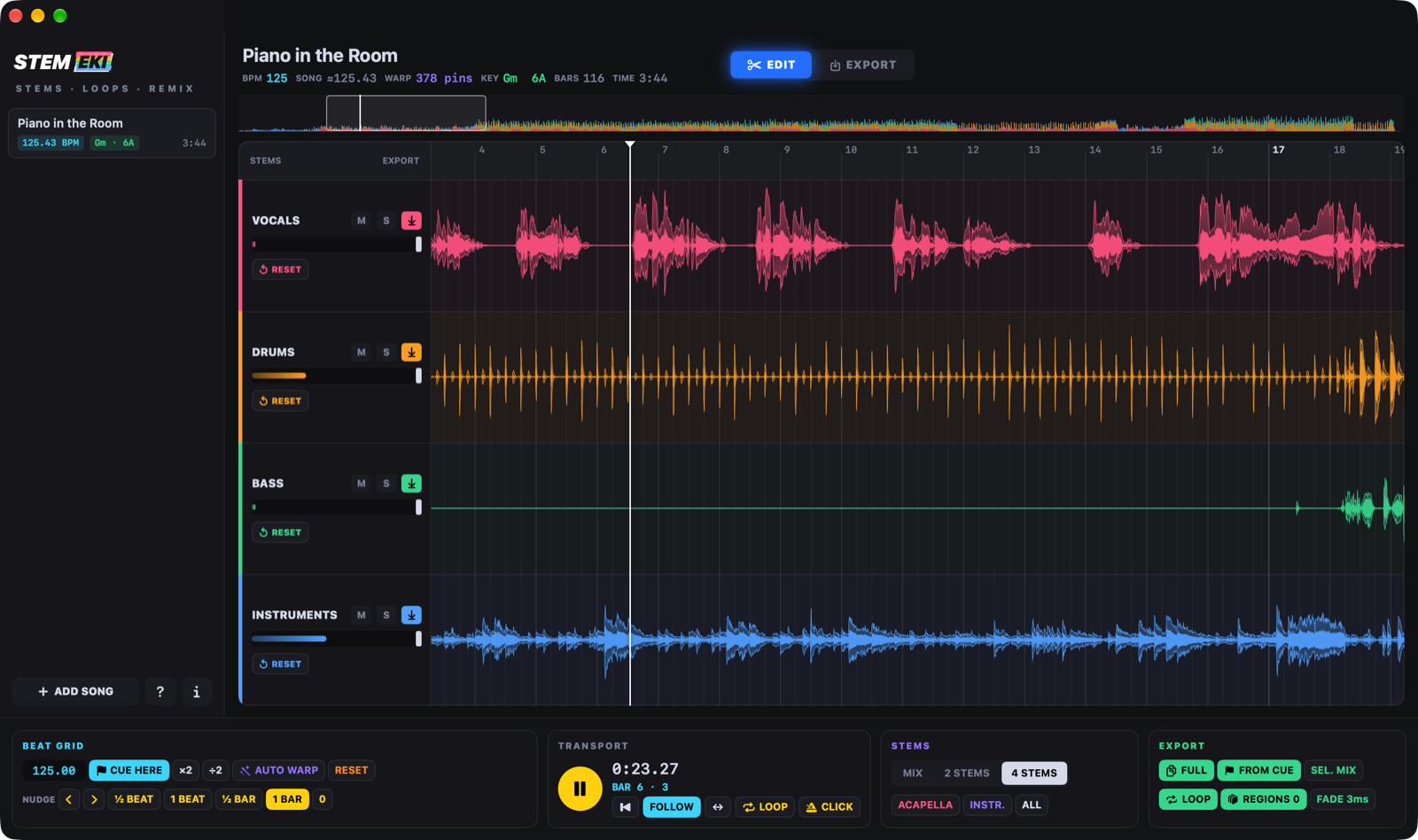
Split any song into stems, rebuild its structure, export DAW-ready loops. Bar-exact, on a whole BPM, on the audible start of every hit.
Most stem splitters stop at “here are your stems”. STEMEKI is where the work starts: a beat grid you can trust, a CUE that is really bar 1, and a mini DAW for the song's structure.
A trained beat model listens to the whole mix and finds every beat and the 1. Each beat lands on its real attack; a steady song gets one perfectly straight grid on a round BPM, a song that speeds up is followed section by section. The click and every cut sit right on the hits.
The CUE lands on the song's first downbeat, found by a trained beat model. Hear the “one” somewhere else? Press C at the playhead, even while playing, or drag the flag.
EDIT: drag to select, click to cut, D to duplicate, ⌘C ⌘V to copy anywhere, move pieces (even past the end, for a longer mix), trim their edges on 1/16 lines, add fades. Pieces overwrite what they cover, like in a DAW. Save it all as a project (⌘S) and pick it up later.
EXPORT: draw regions on the lanes — a verse of the drums, a chorus of the bass — and save each one as its own loop in one click.
From the plain to the unique. Every file keeps the original quality; WAV loops carry ACID and loop-point data, so loop-aware DAWs know what they are.
Every marked stem as it is — the whole song, original tempo.
Every stem from bar 1 to the end, on the export tempo — drop them under each other in your DAW, all on the grid.
The loop range of every stem, bar-exact — the chorus, the drop, the break, as stems.
Every region you drew, each in its own file, from the song you rebuilt. Unbeatable for building a loop library.
SEL. MIX puts the marked lanes into one file — for example DRUMS+BASS — following the faders.
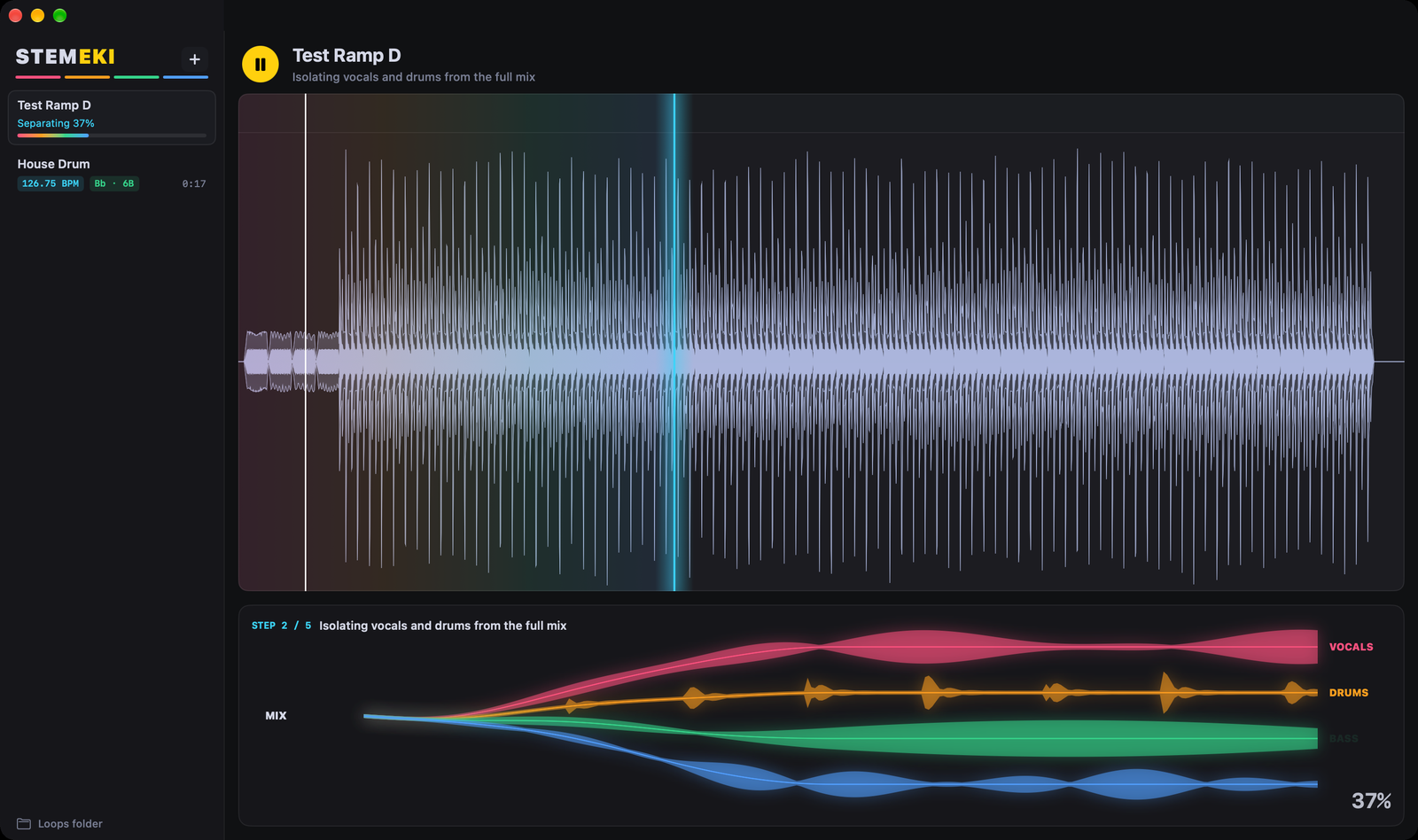
Drop a song: it starts playing while the AI separates it, and the stems open in colour, following the playhead.
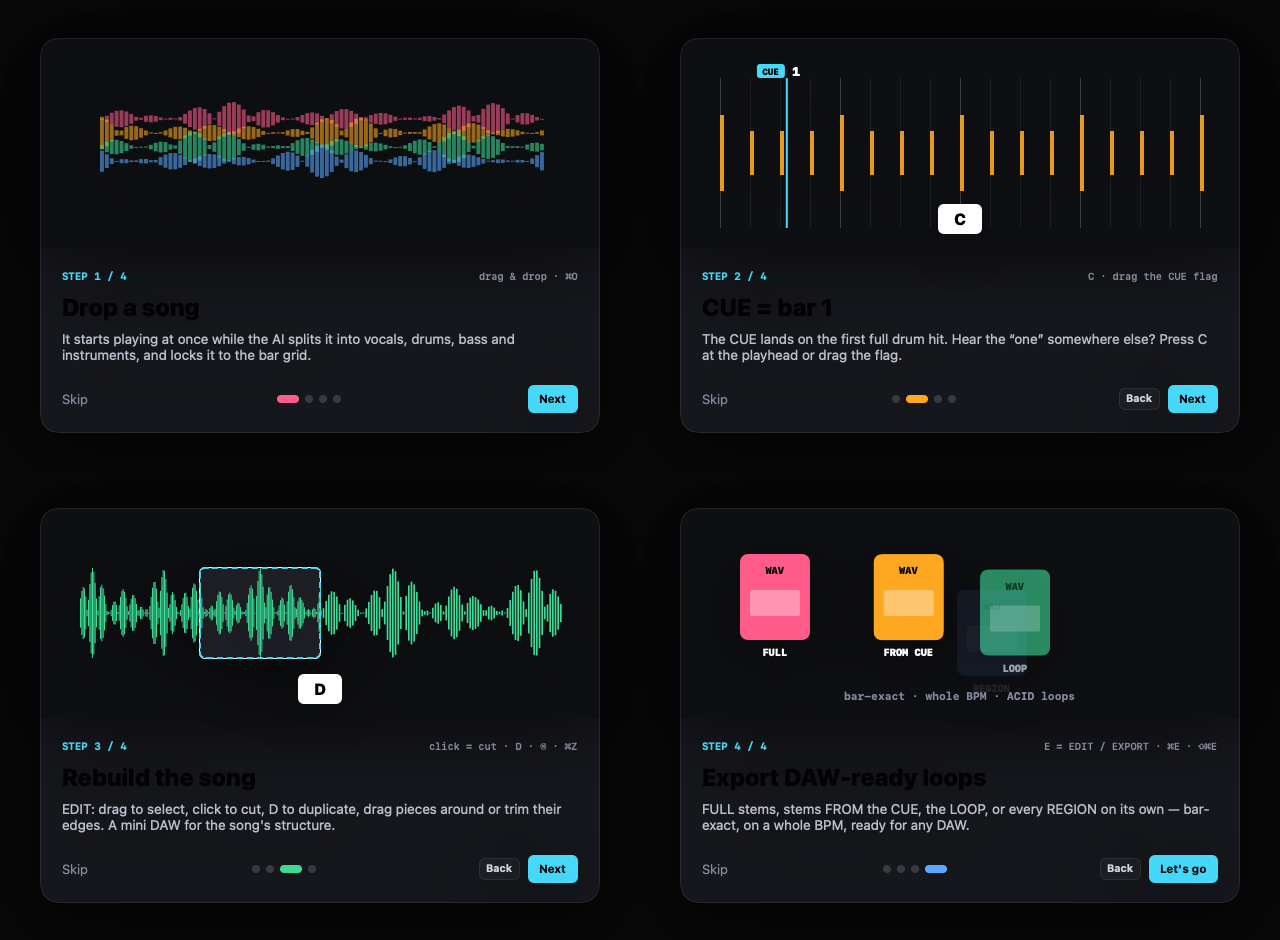
A four-card intro on the first start shows the whole workflow. The ? button brings it back.
| Space | play / pause |
| Enter | to the start (the view follows with FOLLOW on) |
| C | CUE to the playhead |
| E | EDIT / EXPORT |
| D ⌫ Esc | duplicate · delete · clear the selection |
| U | loop the selection (the loop follows it) |
| ⌘C ⌘V | copy · paste at the clicked spot |
| ⌘S ⇧⌘O | save project · open project |
| L K | loop · metronome |
| [ ] | NUDGE the music earlier / later |
| ⌘Z ⌘E ⇧⌘E | undo · export LOOP · export REGIONS |
1. Download the DMG and drag STEMEKI into Applications. 2. The first time, macOS may block it: click Done, then System Settings → Privacy & Security → Open Anyway. 3. Updates arrive by themselves.
STEMEKI separates with Demucs 4 on your Mac. At the first start, one click on INSTALL ENGINE sets up its own AI engine (about 300 MB download): no Terminal, no Python needed. Already have Python with demucs librosa soundfile? STEMEKI uses it.