CHORDS · BEATS · MIDI

Hear the chords of any song on the beat grid, check them by ear, fix them in seconds. Then take them anywhere: MIDI that lines up with the recording, or a printable chord sheet.

Apple Silicon · macOS 14+ · runs locally, your music never leaves your Mac
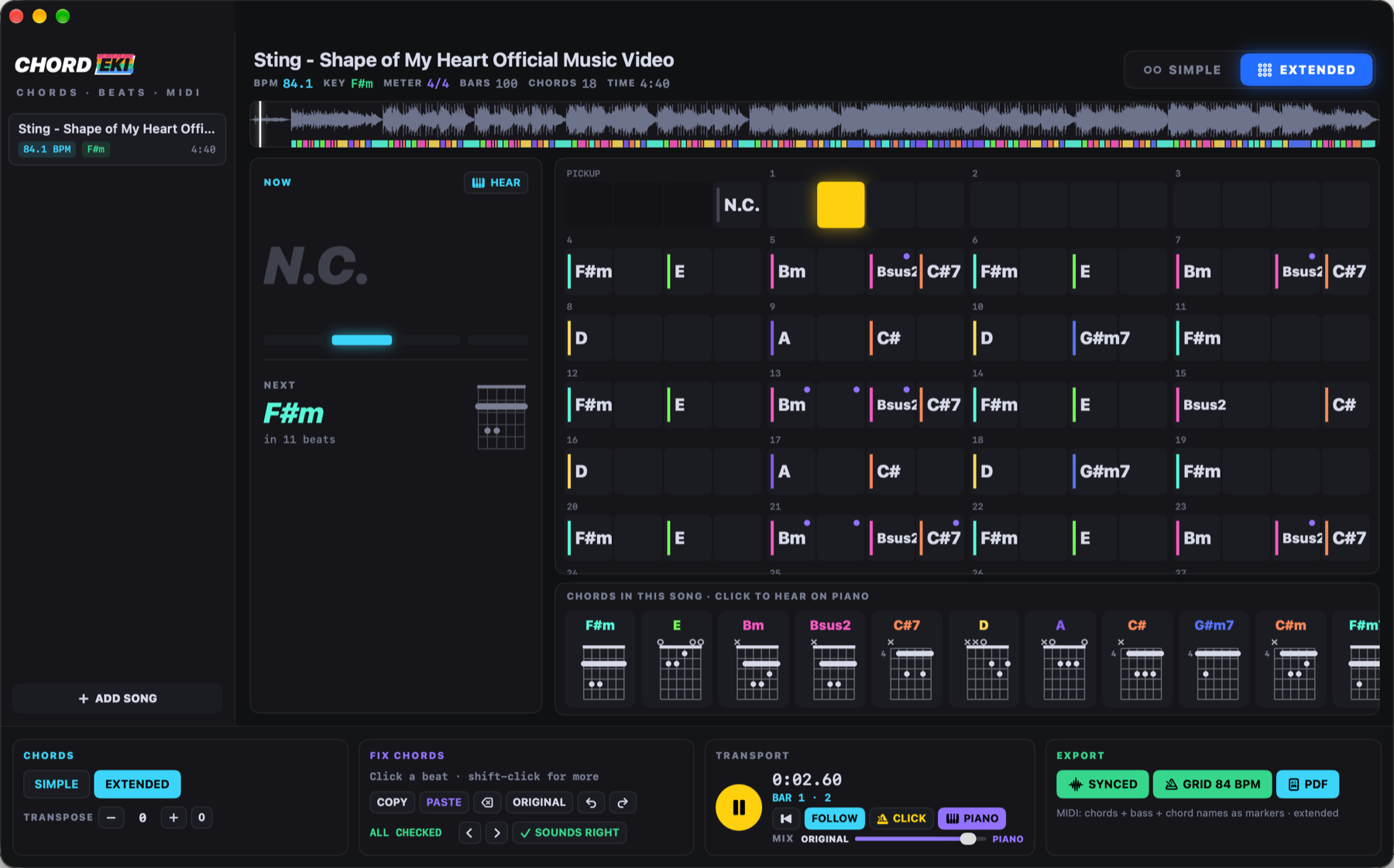
CHORDEKI: the chord grid following the song, the chord now and next with guitar shapes

Not just a list of chords.

Chord apps guess and leave you alone with the guess. CHORDEKI starts there: it hears the beat and the bars right, shows you where it might be wrong, and lets you check and fix every chord by ear.

Beats you can trust

A trained beat model (Beat This!) listens to the whole song and finds every beat and the 1 of every bar. The chords change where the music changes: on the bar line or the half bar, not anywhere.

Chords on the beat

Major and minor, or extended: 7, maj7, m7, sus2, sus4, add9, dim, m7b5, aug. SIMPLE / EXTENDED in one click, transpose, a guitar shape for every chord, NOW and NEXT while it plays.

Check by ear

Click any chord and hear it on the piano. PIANO plays the chords along with the song; slide MIX between the original and the piano. With PIANO on, ← → step from chord to chord.

Fix in seconds

Click a beat, shift-click for more, pick the right chord from the song's own chords or any chord. ⌫ removes one (the chord before goes on), ⌘C ⌘V copy a whole passage, ⌘Z undoes.
It shows you its doubts

You don't have to listen through the whole song to find the mistakes.

Unsure chords

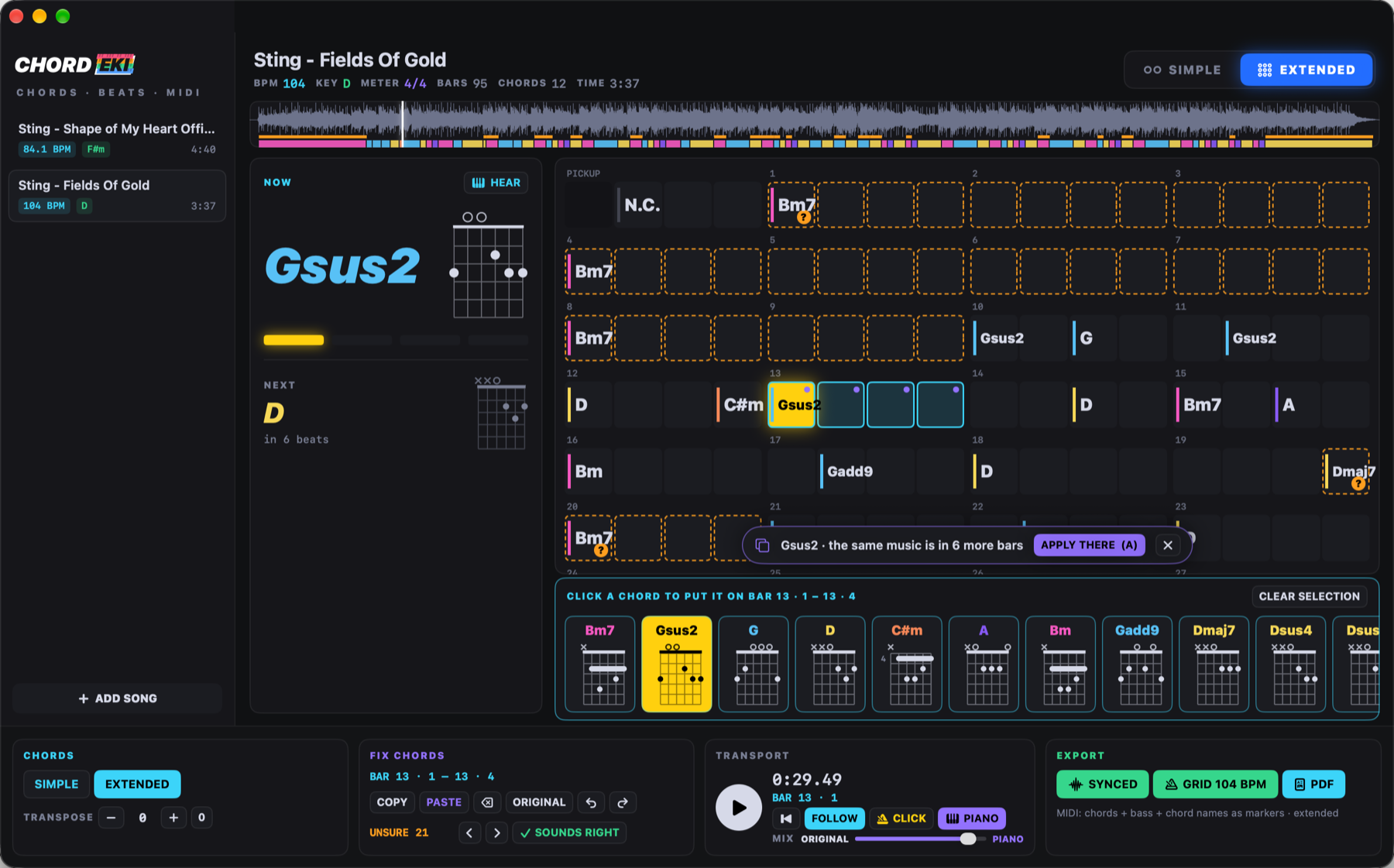
Where the engine wasn't sure, the chord is marked with ? and an orange frame, and flagged on the waveform. U jumps to the next one and plays it on the piano; O says it sounds right, fix it if it doesn't.

Same music, same fix

CHORDEKI hears which bars are the same music, even where it named the chords differently. Fix a chord in one verse and it offers the fix for every other verse: A applies it everywhere at once.

Unsure chords marked in orange, a selection, and the offer to apply the fix to the same music in 6 more bars

Take it anywhere

Every export is exactly what you see: SIMPLE or EXTENDED, transposed, with your fixes.

MIDI SYNCED

Chords, bass and chord names as markers, with a tempo map that follows the recording beat by beat. Drop it under the original in any DAW: it stays together to the last bar.

⌘E · for the recording
MIDI GRID

The same on one steady tempo, a whole BPM. Clean bars for your own production, a drum machine, quantized parts.

⇧⌘E · for producing
PDF

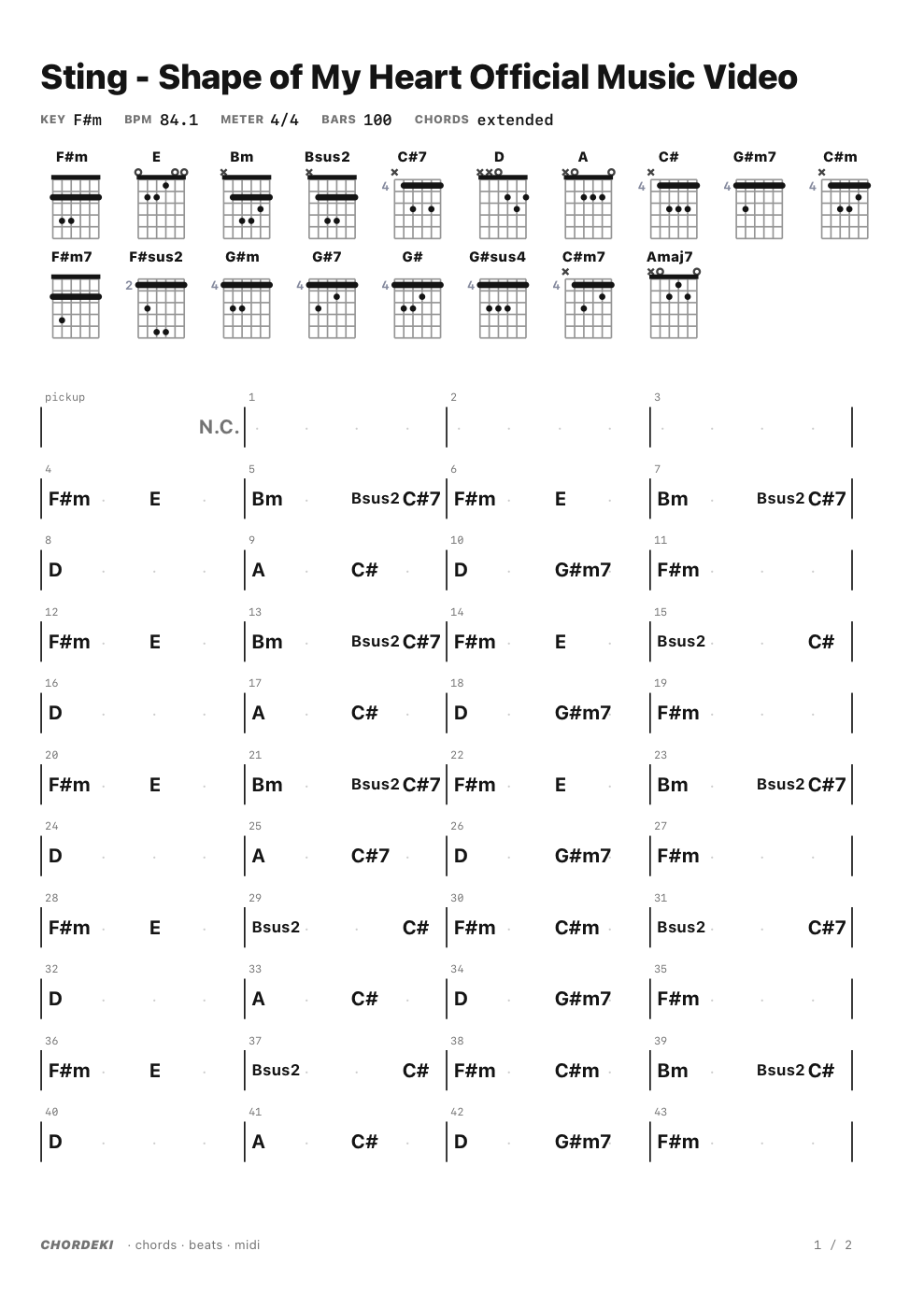
A printable chord sheet: title, key, tempo, every guitar shape, then the bars in rows of four with bar numbers.

⌘P · for playing

A chord sheet in one click

Ready to print or to put on the music stand.

PDF chord sheet with guitar shapes and the bars

One of the family

The EKIDIO SOUND look you know from STEMEKI and PADEKI, starting with a four-chord hello.

CHORDEKI start-up screen

Keyboard

Spaceplay / pause
← →a bar back / forward · with PIANO on: chord by chord, played on the piano
Enterto the start
Phear the chord on the piano
J KPIANO along with the song · metronome CLICK
U ⇧U Onext · previous unsure chord · it sounds right
Aapply the fix to the same music elsewhere
⌫ Escremove the chord (the one before goes on) · clear the selection
⌘C ⌘V ⌘Zcopy · paste · undo chords
⌘E ⇧⌘E ⌘PMIDI synced · MIDI grid · PDF chord sheet
⌘Oopen songs (or drop them on the window)

Install

1. Download the DMG and drag CHORDEKI into Applications. 2. The first time, macOS may block it: click Done, then System Settings → Privacy & Security → Open Anyway. 3. Updates arrive by themselves.

At the first start, one click on INSTALL ENGINE sets up its own analysis engine (about 300 MB download): no Terminal, no Python needed. It opens MP3, WAV, AIFF, M4A, FLAC and WEBM.